For owners, contractors and renovators
Know what you owe, what you've paid, and what's been built.
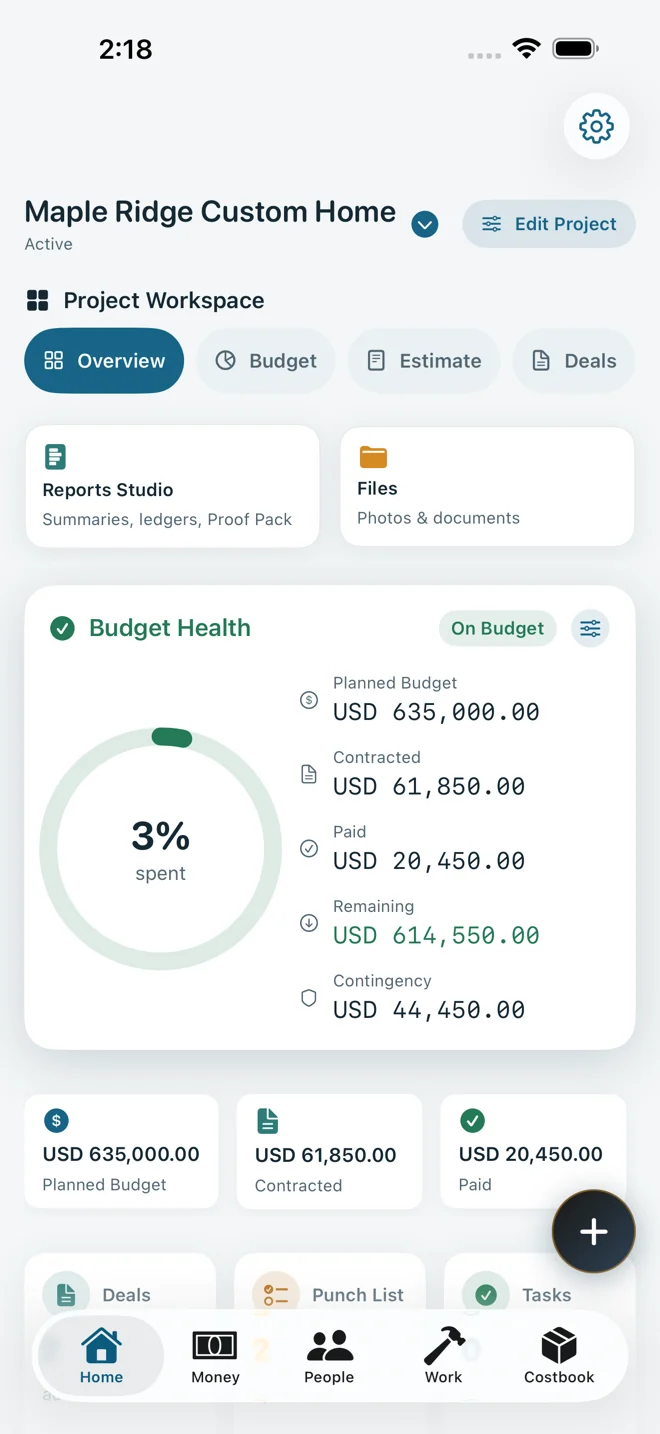
BuildPenny replaces the spreadsheet and the WhatsApp thread. Budgets, contractor deals, payment requests and site issues live in one place, with VAT and retention worked out for you and a payment history nobody can quietly edit.
- No account to create
- Works offline on site
- Your iCloud, not our server
The questions it answers
- “Did we already pay the tiler for the second floor?”
- “How much is left on the electrician's contract?”
- “Who approved that change, and for how much?”
Each of these takes one screen in BuildPenny.
How it works
Built around how money actually moves on a job.
Deals
Written down, even when it was a handshake.
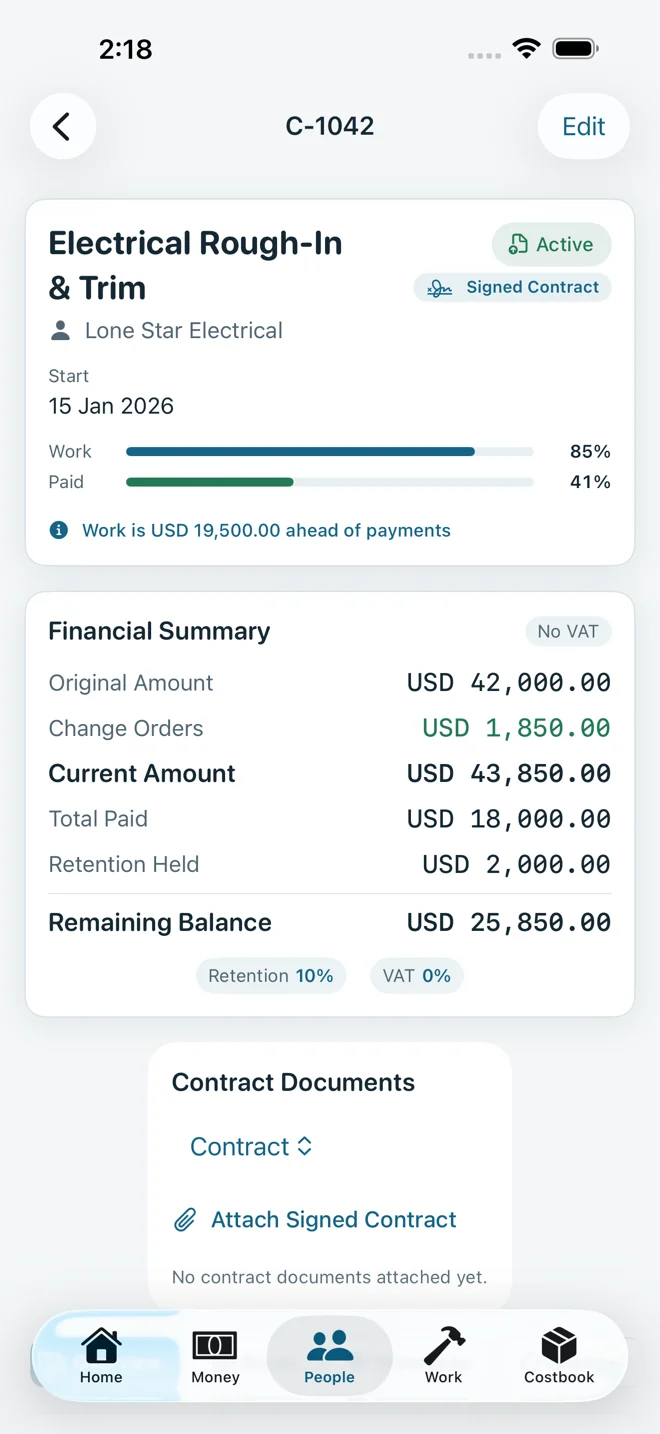
Record every agreement the way it was actually made: verbal, over WhatsApp, a quote or a signed contract. Add scope lines by quantity and unit price, approve change orders, and the deal value updates itself.
- Work done and money paid on two bars, side by side
- A plain warning when someone is paid ahead of the work, or the work runs ahead of the money
- Retention held per deal, released only when you decide
Payment requests
VAT and retention, worked out once and correctly.
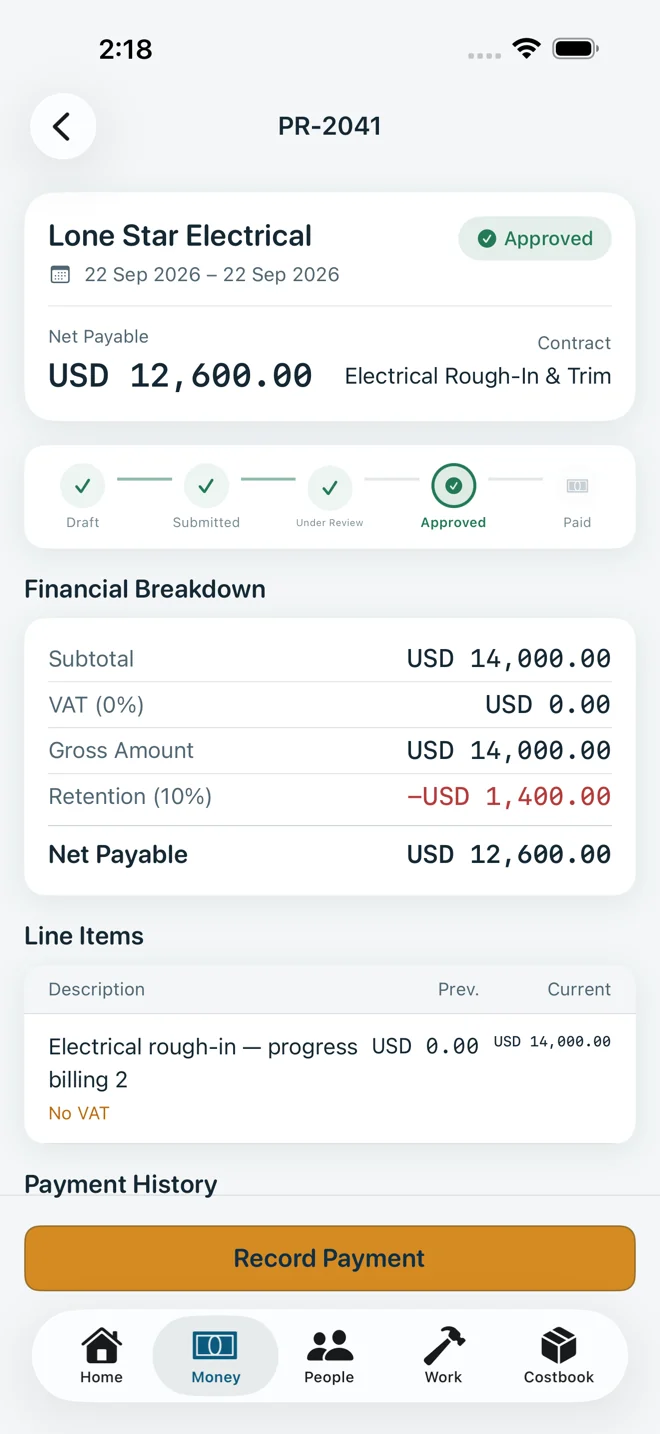
A contractor's claim moves from draft to submitted, approved and paid. Tax is calculated line by line, retention is withheld from the VAT-inclusive total, and you can't pay more than was approved.
| Work claimed | 10,000.00 |
|---|---|
| VAT at 15% | +1,500.00 |
| Gross | 11,500.00 |
| Retention, 10% of gross | −1,150.00 |
| Net payable now | 10,350.00 |
The 1,150.00 isn't lost. It's held on the deal until you release it.
The ledger
Nothing is rubbed out.
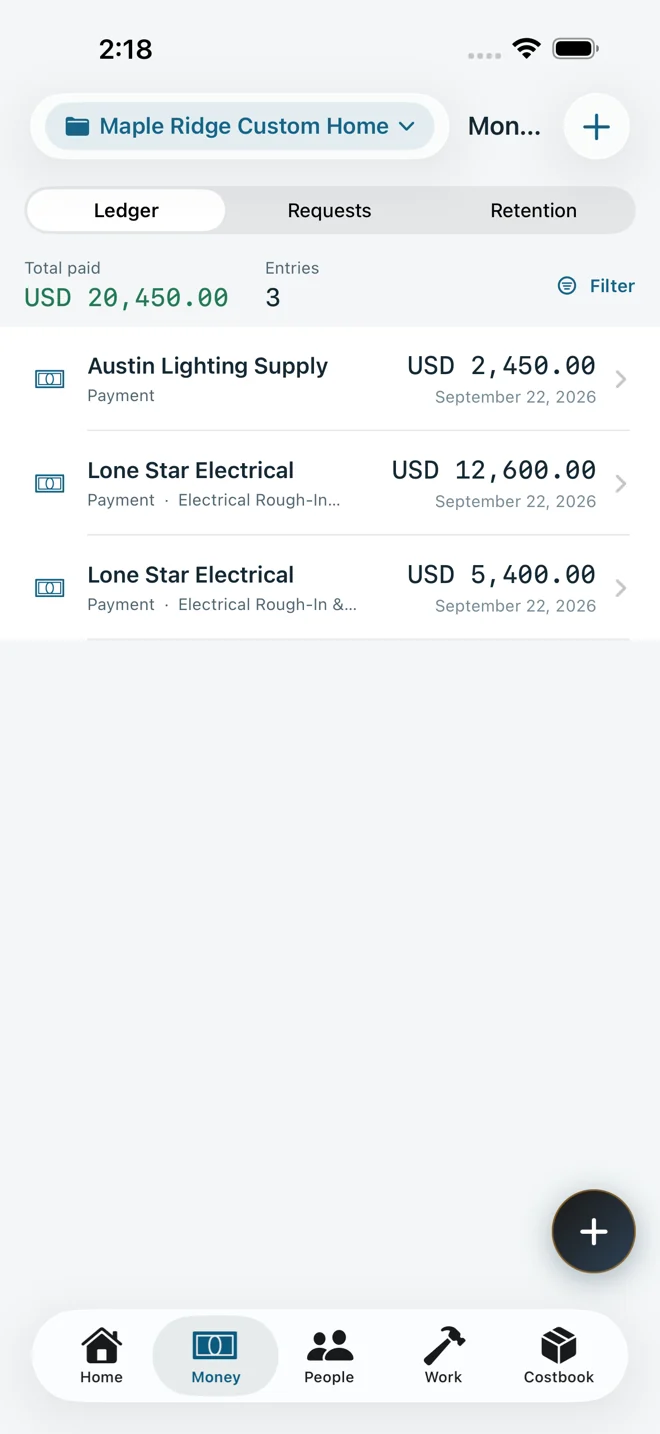
A payment that came from an approved request is a permanent record. If it was wrong, you void it: the app writes a reversal beside the original, so the history still explains every number on the dashboard.
| Payment, plastering | 5,400.00 |
|---|---|
| Reversal of the above | −5,400.00 |
| Payment, plastering (corrected) | 4,500.00 |
| Paid | 4,500.00 |
Illustration. Quick payments you logged yourself stay editable; certified ones do not.
Costbook
Remember what you paid for things.
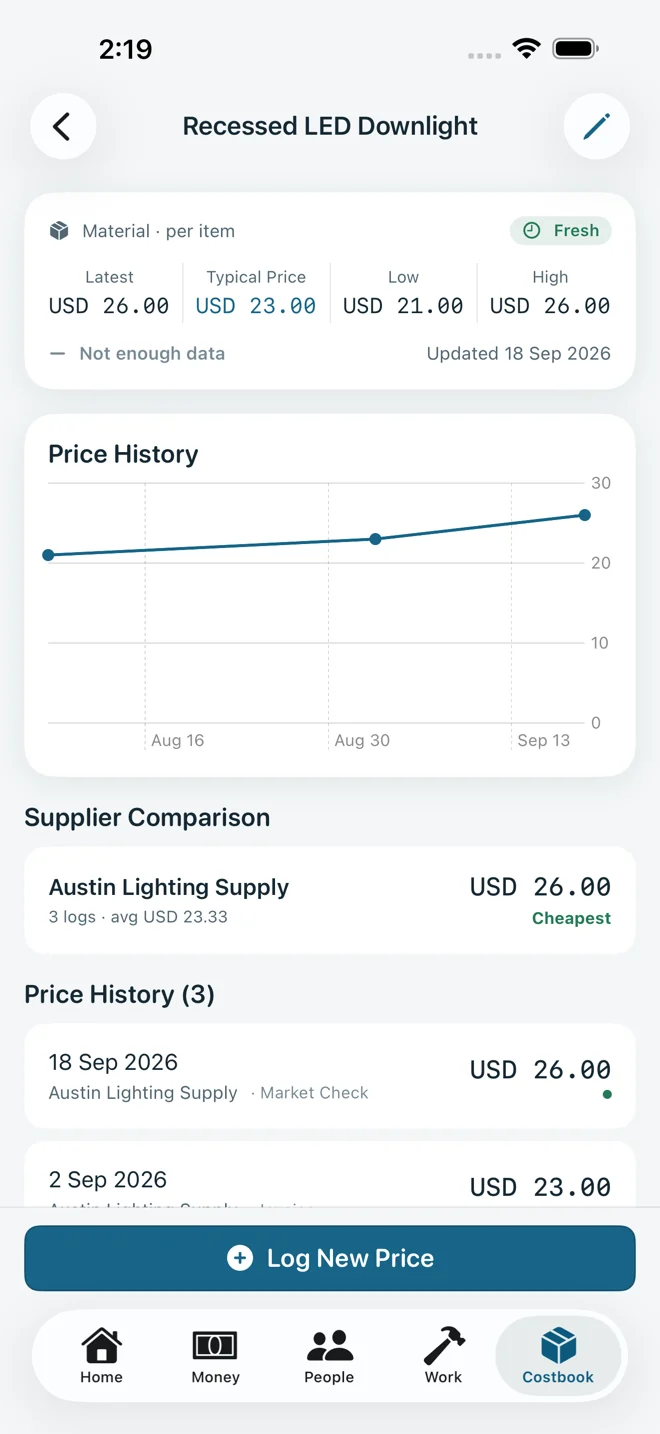
Log material and labour prices as you buy. Each item keeps its own history, with the latest, typical, low and high price, a trend line, and which supplier was cheapest. Estimates can pull from the same book.
- Estimates with overhead, profit and tax, adoptable as the project budget
- Price history per item, per supplier
Evidence pack
One PDF when someone asks what they paid for.
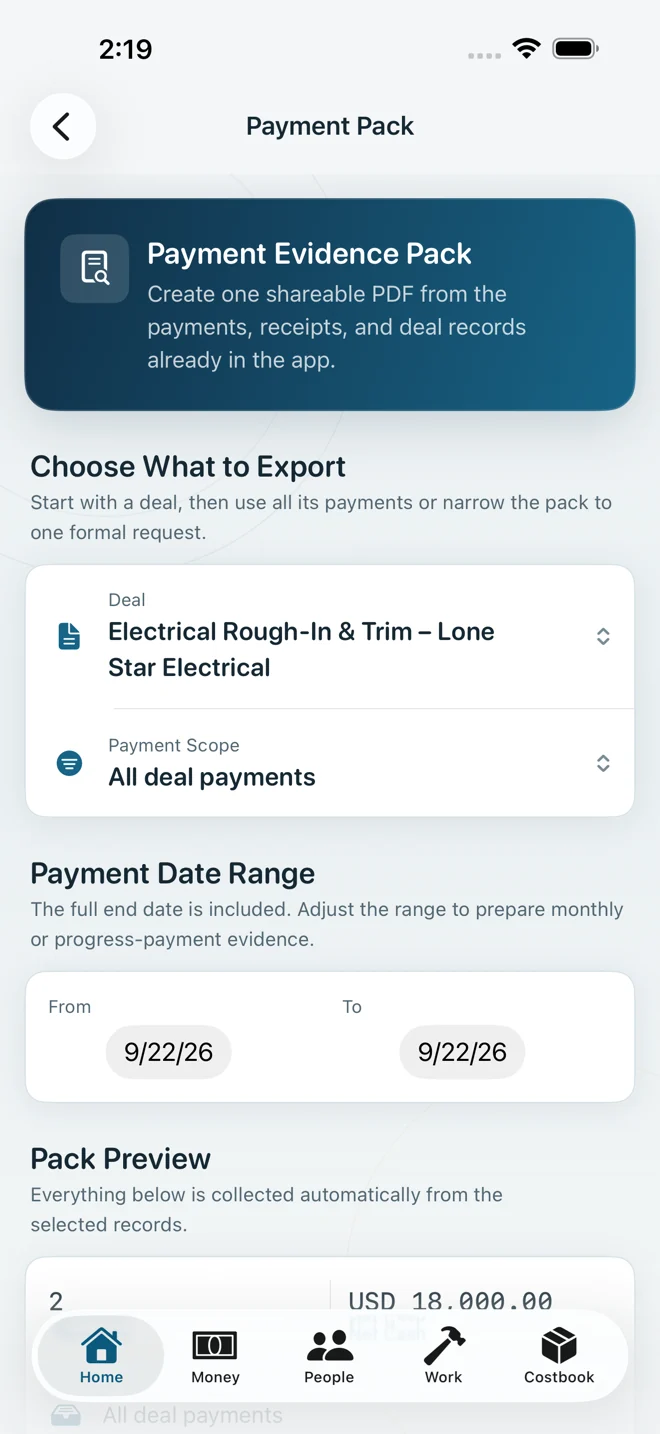
Pick a deal and a date range. BuildPenny collects the payments, receipts and scope into a single document you can send to a building owner, a lender or an accountant.
- Also: executive summary, budget control, cash flow, contract register, contractor balances, payment ledger and site-issue reports
- Full JSON backup and a CSV export of the ledger
Also included
The rest of the job.
- Budgets by phase
- Planned, contracted and paid kept apart, with a health check that warns before you over-commit, not after the money has gone.
- Site issues
- Snags with severity, location, photos and due dates, moving from open to resolved to verified.
- Tasks and progress
- Work progress per deal and a task list with checklists, so the money view and the site view agree.
- Any currency
- One currency per project, 18 regional presets for currency and tax. Mixed currencies are never added into a fake total.
- Arabic, properly
- A full right-to-left interface, not a translated menu. English, Arabic, French, Spanish, German and Turkish.
- Face ID lock
- Lock the app behind Face ID, Touch ID or your passcode.
Your data
Your numbers are nobody's business but yours.
There is no BuildPenny account and no BuildPenny server holding your projects. Records are stored on your device and, if you use iCloud, in your own private iCloud database, which we cannot open.
No analytics, no advertising, no third-party SDKs. Export everything as a backup whenever you like. Read the privacy policy.
Specification
The short version.
| Availability | Coming soon to the App Store |
|---|---|
| Devices | iPhone and iPad, iOS 17 or later |
| Languages | English, Arabic, French, Spanish, German, Turkish |
| Account | None. Open the app and start. |
| Storage | On your device, synced through your own private iCloud when available |
| Offline | Everything works with no connection |
| Exports | PDF reports, JSON backup and restore, CSV ledger |
| Tracking | None. No analytics, no ads, no third-party SDKs |
| Publisher | KH Global Group LLC |
Questions before it launches?
Write to support@buildpenny.com. A person reads every message.